Local context
Many organizations already use AI for resume ranking, but what slows hiring is usually process breakage: invitations go out with no visibility into who has not started, managers say “I’ll talk to them” without written input, and TA spends days in chat threads aligning calendars. The gap is rarely “no tools”—it is resumes, video interviews, manager feedback, and scheduling living in different places.
When candidate completes screening → manager gives feedback → HR decides next step → next round is scheduled runs as one traceable workflow, recruiters can shift time from coordination to judgment and hiring decisions.
Summary
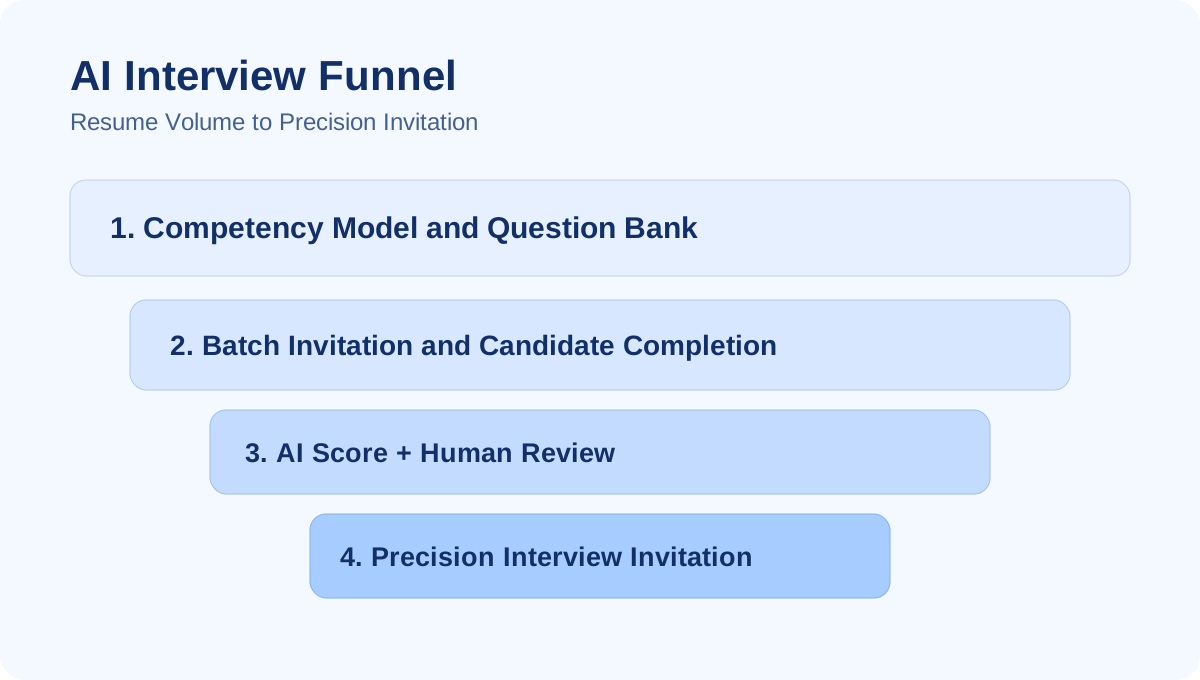
MIND Interview for employers supports seven steps to improve hiring efficiency: ① Send AI interview invitations (candidates complete recorded video on their own) → ② AI multi-dimensional analysis (including custom dimensions) → ③ Package resume and interview data for hiring managers → ④ Managers review and comment via link → ⑤ HR verifies manager input before inviting next round → ⑥ Managers connect Google / Outlook calendars, publish availability, and send booking links → ⑦ HR makes the final decision from interview outcomes.
Where does hiring efficiency stall?
| Pain point | Typical symptom | Cost to TA |
|---|---|---|
| Slow first pass | Phone screens, repeated questions | Cannot handle volume |
| Inconsistent bar | Every manager “goes with gut feel” | Hard to explain trade-offs internally |
| Fragmented data | Resume in inbox, interview in personal folders | Slow tracking and reporting |
| Scheduling drag | Three-way chat to find a slot | Poor candidate experience, higher drop-off |
| Weak decision trail | No structured record | Hard to reconstruct for audits or disputes |
The seven steps below connect these breakpoints to one console and one data chain.
Seven-step overview
MIND: Seven-step hiring efficiency workflow
① HR · Send AI interview invites
Alex Chen · Sales associate pipeline
[Interview] Complete your AI video interview within 72 hours
Candidates open the link to record answers; AI report is generated automatically.
④ Manager · Review link & feedback
Recommend next round; probe enterprise account experience.
Submitted · Sent to HR⑥ Manager · Open slots & booking
- Available
- Available
Step 1: Send invitations; candidates complete async AI video interviews
From the talent pool or requisition pipeline, HR sends AI interview invitations to individual or batch candidates. Candidates open the email link and record video answers within clear question sets and deadlines—no need for HR or managers to be live online. Especially useful for:
- First-round capability checks after high resume volume
- Cross-region or cross-time-zone applicants
- Roles that require spoken communication (sales, customer support, etc.)
HR sees completion rates in real time and can nudge non-starters before the pipeline quietly leaks.
Practical tip: State time limit, question count, device requirements, and next-step timeline in the invite (see Async video interviews and candidate communication).
Step 2: AI analyzes multiple angles; employers can customize dimensions
After completion, the system produces a structured AI report aligned to the role: communication, logic, professional expression, trait signals, and more—plus employer-defined rubrics / custom dimensions so different requisitions share comparable screening language.
This step does not “replace managers.” It:
- Surfaces who is worth a 30-minute live interview
- Gives TA concrete segments and scores instead of second-hand summaries for managers
- Aligns with standards from internal calibration (see Hiring rubric and manager calibration)
Step 3: Integrate resume and interview data; send to hiring managers for review
HR no longer emails separate PDFs, interview links, and notes. On the candidate record, resume analysis, AI interview report, and pipeline stage appear together; after verification, one click sends a manager review invitation (single or multiple reviewers).
Managers receive full context for one candidate, not scattered attachments—reducing “voted without watching the interview” risk.
Step 4: Managers open a link, review resume and interview, and reply to HR
From the review link, managers switch between overview, resume, and AI interview (video plus report summary) and submit recommendations or scores. Feedback returns to the HR console—no more “did the manager reply yet?” in messaging apps.
Logged-in manager accounts can open the same candidate from the workspace with consistent permissions.
Key benefit: Shorter cycles waiting on manager input, with every comment retained for later audit.
Step 5: HR verifies manager comments and decides on next-round invites
On the candidate page, HR checks each reviewer’s status (pending / submitted), summary comments, and consistency with the AI report—then decides:
- Whether to proceed to live interview or additional panel
- Whether to add another manager for coverage
- Whether to decline with a recorded rationale
Policy should state: AI assists; manager review governs. If they disagree, document the reason (aligned with rubric calibration and escalation practices).
Step 6: Managers connect Google / Outlook, publish availability, and send booking links
When candidates need live time with managers, calendar ping-pong is often the biggest drain. Logged-in managers can:
- Connect Google and Outlook calendars
- Set availability rules for interviews
- Let HR or the system send calendar booking links to candidates
Candidates pick a slot online; the system creates calendar events—without repeated three-way chat.
This step complements AI interviews: AI handles standardized screening; calendar booking handles live interview time (see also workflow articles on ATS integration in this series).
Step 7: HR makes the final decision from live interview outcomes
After live interviews, HR updates pipeline stage and consolidates manager comments, AI reports, and interview notes for offer, backup, or decline. Because steps 1–6 live on one candidate file:
- Internal explanations of trade-offs have evidence
- You can reconstruct what was seen and who said what
- Next cohorts can reuse question banks and rubrics
Role split: who does what, when?
| Role | Main actions | Where in the system |
|---|---|---|
| HR / TA | Send invites, track completion, route manager review, verify feedback, send booking, final decision | Talent pool / candidate detail / pipeline |
| Candidate | Complete AI interview, book live slot | Invitation link / booking page |
| Hiring manager | Review via link or login, comment, publish calendar availability | Manager review link / calendar settings |
How this relates to the homepage “How we help HR” section
The English homepage presents a condensed seven-step view after the hiring flow block so buyers and HR can see in one screen what coordination work is removed. This article is the searchable, shareable deep dive for:
- Internal business cases and deck appendices
- Legal / security discussions on process design
- SEO around manager review, interview scheduling, and AI interview invitations
Rollout: metrics you can validate in 90 days
| Metric | Definition |
|---|---|
| AI interview completion rate | Share completed within 72h / 7d of invite |
| Manager response time | Median days from review invite to first submission |
| Scheduling messages per case | Average coordination touches before/after calendar booking |
| HR time per requisition | Average days from intake to “entered live interview” |
Start with one or two requisitions, then expand to campus or high-volume programs.
Next steps
- Explore AI Interview — question banks, reports, async flow
- Explore AI Resume Analysis — how it connects to interviews
- Browse In-house hiring workspace
- On the homepage, open #hr-efficiency for the quick seven-step view
To design a PoC with your job families and existing ATS, book a workflow demo via the site.
Frequently Asked Questions
Key questions often raised by business leaders and HR teams:
Do candidates have to come on-site to complete the AI interview?
No. After HR sends an invitation link, candidates can complete video responses within the deadline on their own schedule. The system then generates an AI analysis report for HR and hiring managers to review in the console or via review links.
Do hiring managers need system logins to see resumes and interviews?
Not necessarily. A common pattern is HR sending a manager review link so leaders can view integrated resume and AI interview content and submit feedback without logging in. Managers with accounts can also use the full workspace, including calendar features.
Can AI scoring dimensions be customized per role?
Yes. You can align role question banks, scoring rubrics, and custom analysis dimensions so different job families (sales, engineering, customer support, etc.) share a comparable screening framework before manager review.
How is calendar booking different from the AI interview?
The AI interview handles standardized capability verification and first-pass screening. Calendar booking applies when managers and candidates need live interviews—linked Google or Outlook availability lets candidates pick slots online and reduces back-and-forth coordination.
Is this workflow suitable for very small HR teams?
Yes. Lean teams often lose time chasing invitations, manager replies, and scheduling. Front-loading async interviews and review links reserves live interviews for candidates worth the calendar investment.